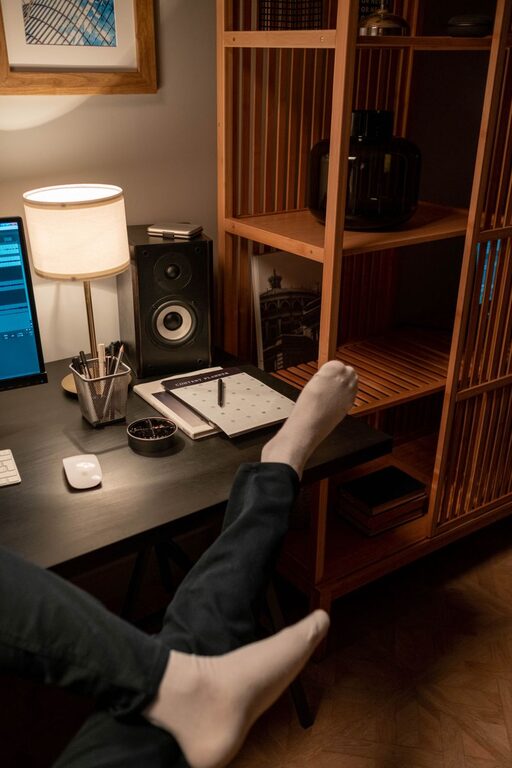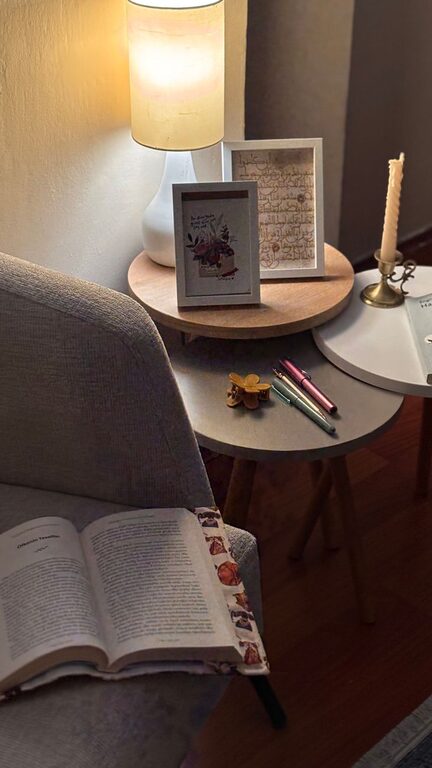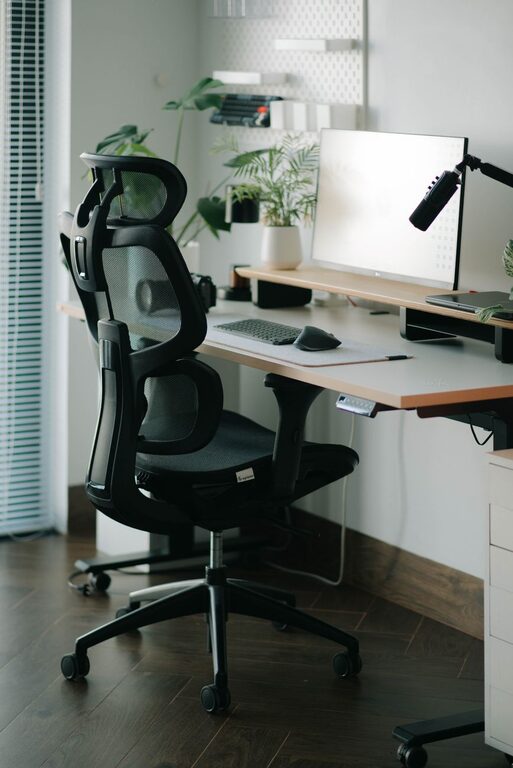

Creating a productive home workspace is key for anyone working remotely or managing tasks from home. A well-organized and comfortable environment can increase focus, reduce stress, and help separate work from personal life. Whether you have a dedicated room or a small corner, these essential tips will guide you in setting up a space that supports your productivity and well-being.
Choose the Right Location
Finding the right spot for your home workspace is the first step toward productivity.
– Quiet and Low-Traffic Area: Select a place where you can work with minimal distractions. Avoid high-traffic zones like busy living rooms or kitchens.
– Natural Light: Aim for a space near a window to benefit from natural daylight. Good lighting helps reduce eye strain and improves mood.
– Comfort and Privacy: Consider a room or nook where you can close the door or create a visual boundary to signal work mode.
If space is limited, even a well-defined corner with a small desk can work well.
Invest in Ergonomic Furniture
Comfort matters when you spend hours working at a desk.
– Ergonomic Chair: Choose a chair that supports your back, encourages good posture, and suits your height.
– Desk Height: Your desk should allow your arms to rest comfortably at a 90-degree angle when typing or writing.
– Monitor Position: Place your computer screen at eye level to avoid neck strain. Use a laptop stand if necessary.
– Footrest: If your feet don’t rest flat on the floor, a footrest can help maintain proper posture.
Good ergonomics not only prevent discomfort but also improve concentration and endurance.
Keep Your Workspace Organized
Clutter is a productivity killer. A tidy space helps you feel calm and focused.
– Declutter Regularly: Remove unnecessary items and keep only what you need frequently on your desk.
– Use Storage Solutions: Shelves, drawers, and desk organizers can keep papers, stationery, and gadgets in order.
– Cable Management: Use clips, ties, or sleeves to keep cables and chargers neat and out of the way.
– Digital Organization: Maintain an organized computer desktop and files for easy access and reduced frustration.
A clean and organized workspace supports clear thinking and efficient work.
Personalize Your Space
Your workspace should inspire and motivate you.
– Add Plants: Indoor plants can improve air quality and add a touch of nature that reduces stress.
– Incorporate Personal Items: Photos, art, or meaningful objects make the space more inviting.
– Choose Soothing Colors: Soft, calming colors on walls or accessories can boost mood and focus.
– Good Lighting Options: Alongside natural light, have adjustable desk lamps for bright yet comfortable illumination.
Personal touches help create a positive environment where you enjoy spending your workday.
Minimize Distractions
Reducing interruptions is crucial for maintaining productivity.
– Set Boundaries: Let family or housemates know your work hours and the importance of minimizing disruptions.
– Use Headphones: Noise-cancelling headphones or instrumental music can help you focus.
– Mute Notifications: Turn off non-essential notifications on your computer and phone during work periods.
– Keep Essentials Nearby: Have everything you need—water, snacks, supplies—within arm’s reach to avoid leaving your desk too often.
A focused environment lets you complete tasks more efficiently and with less frustration.
Establish a Routine
Having a routine signals to your brain that it’s time to work.
– Regular Work Hours: Start and finish work at consistent times as much as possible.
– Breaks and Movement: Schedule short breaks to stand up, stretch, or walk to refresh your mind and body.
– Dress for Work: Wearing work-appropriate clothes (even if casual) can boost your mindset and readiness.
– Daily To-Do List: Plan your tasks each morning to set clear goals and priorities.
A predictable schedule can improve motivation and prevent burnout.
Use Technology Wisely
Technology is essential but can also be distracting.
– Right Tools: Use apps and software that enhance productivity, such as calendars, task managers, or communication platforms.
– Limit Social Media: Use website blockers if you find yourself distracted by social sites.
– Reliable Internet: Ensure you have a strong internet connection to avoid disruptions during work.
– Ergonomic Accessories: Consider an external keyboard and mouse for better comfort.
Leveraging technology thoughtfully supports your workflow rather than hinders it.
Maintain Good Air Quality and Temperature
Comfortable air and temperature contribute to better focus.
– Ventilate Regularly: Open windows if possible to allow fresh air circulation.
– Use Air Purifiers or Fans: They can improve air quality and maintain comfort.
– Adjust Room Temperature: Keep the room at a comfortable temperature, ideally between 68-72°F (20-22°C).
A comfortable environment helps maintain energy and reduces fatigue.
—
Final Thoughts
A productive home workspace is about combining comfort, organization, and personal preferences to create a space where you can do your best work. Small changes like improving lighting, managing distractions, and organizing your desk can make a big difference. Start with what’s feasible for you and adjust as needed to find the perfect balance that works for your lifestyle and tasks.
Remember, your workspace should support your productivity and well-being — making work from home both efficient and enjoyable.
About the Author